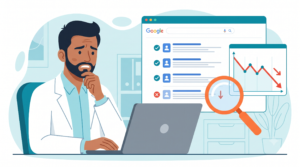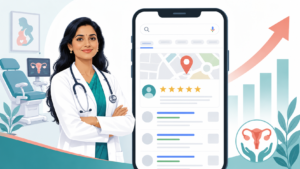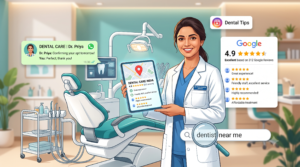
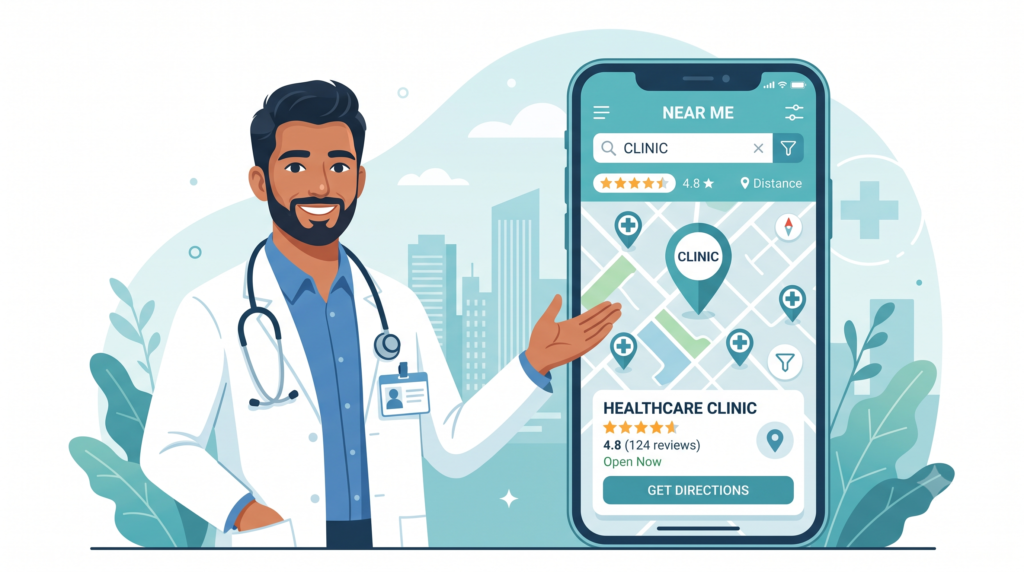
A patient with a fever at 9 PM doesn’t open your website. They pick up their phone, type “general physician near me,” and tap the first clinic that looks trustworthy on the map. Whether that clinic is yours or the one two lanes over often comes down to a single thing you probably set up once and forgot: your Google listing.
If you’re a doctor or clinic owner in India trying to make sense of Google My Business for doctors in India, this is the guide I wish more physicians had before they handed the job to a nephew “who’s good with computers.” I’ll walk you through claiming, verifying and optimizing your profile properly — and, just as importantly, how to do all of it without tripping over the NMC’s rules on how doctors are allowed to market themselves online.
Let’s get into it.
First, a quick clarification: it’s not called “Google My Business” anymore
You’ll still hear everyone — including me, out of habit — say “GMB.” But Google officially retired the name Google My Business and renamed the whole thing Google Business Profile a few years ago. The app is gone; you now manage everything directly from Google Search and Google Maps when you’re signed in as the owner.
Nothing about the strategy changed, only the label. So when this article says “GMB,” “Google My Business,” or “Google Business Profile,” treat them as the same thing. I’ll use them interchangeably because that’s how patients and doctors actually talk.
Why this matters more for doctors than almost any other profession
Healthcare is one of the most “local” searches there is. Nobody flies to Delhi for a routine consultation when they live in Coimbatore. When someone searches “dermatologist in Indiranagar” or “best pediatrician near me,” Google doesn’t show them the ten bluest websites — it shows a map with three clinics on top. That box is called the Local Pack (or the “3-pack”), and it eats up most of the clicks before a single organic website result even gets a look.
Here’s the uncomfortable truth: your beautifully designed clinic website could be sitting on page one and still lose the patient to a competitor whose only advantage is a better-optimized Google profile. The profile is your digital front door. Often it’s the entire first impression — hours, reviews, photos, directions, a phone number to tap — all decided in about eight seconds, before anyone visits your site.
An optimized profile does three quiet, powerful things:
- It puts you in that 3-pack for “near me” and “in [locality]” searches.
- It lets patients call, get directions, or book without hunting for information.
- It builds trust through reviews, real photos, and accurate details — the things that make an anxious patient choose you.
And a neglected profile does the opposite. If you never claim your listing, Google still creates one from public data — and it lets random users submit “suggested edits” to your hours, address and phone number. I’ve seen clinics turning patients away at the door because Google was showing wrong timings that nobody on the team knew about. Claiming your profile is partly about visibility and partly about simply controlling your own information.
Before you optimize anything: the India-specific compliance reality
This is the section most global guides skip, and it’s the one that matters most for you. Doctors in India are not ordinary businesses. You’re a Registered Medical Practitioner (RMP), and the National Medical Commission (NMC) has a code of ethics that governs how you’re allowed to promote yourself — including online.
I’m not a lawyer, and the regulatory picture has genuinely been in flux (the detailed 2023 conduct regulations were notified and then kept in abeyance, so the exact rule in force has shifted). But the direction of travel is unmistakable, and the safe way to play it is clear. Here’s the practical version:
What you generally cannot do:
- Solicit or publish patient testimonials and reviews as promotion. Asking patients for glowing reviews, or reposting a patient’s praise as advertising, is treated as soliciting. This is the single most common trap.
- Pay for rankings or ratings. Buying “likes,” followers, or signing up for apps that charge fees to push you higher or feed you patient leads is considered indirect advertising.
- Make outcome claims or use superlatives. “Best gynaecologist in Mumbai,” “100% cure,” “painless,” “guaranteed results” — all off the table.
- Post before/after images or identifiable healed-patient photos to attract cases.
What you absolutely can do:
- Claim and fully complete your Google Business Profile with factual, verifiable information — name, qualifications, registration, address, timings, consultation fees, services.
- Respond to reviews you receive. Informal guidance has clarified that replying to Google reviews (even negative ones) is fine, as long as your reply doesn’t turn into an advertisement. A calm, professional “Thank you for the feedback, we’d be glad to look into this — please reach the front desk” is completely appropriate.
- Publish educational content through Google Posts within your area of expertise (“What to do in the first hour of a burn,” “Warning signs of dengue”). Education is explicitly permitted; solicitation is not.
The mental model that keeps you safe: inform, don’t promise. Describe, don’t solicit. You can make it easy for a happy patient to leave a review on their own; you shouldn’t ask them to praise you. When you’re unsure, keep the patient out of it, and check with your state medical council or a healthcare lawyer before publishing anything borderline. You should also handle any patient details in line with India’s data-protection expectations (the DPDP Act) — no sharing scans, case details, or identifiable images without proper, documented consent, and ideally not at all for marketing.
With that guardrail in place, everything below is safe, ethical, and effective.
Step 1: Claim and verify your profile
Search your clinic’s name plus your city on Google. One of three things is true: no profile exists, an unclaimed one exists, or you already manage it.
- If nothing exists, create it at the Google Business Profile setup page while signed into the Google account you want to own it long-term (use a clinic email you’ll keep, not a junior’s personal Gmail).
- If an unclaimed listing exists, click “Claim this business” and follow the steps.
Verification for healthcare has gotten stricter. Because medical categories are prone to spam and fake listings, Google increasingly asks for video verification — a short recording showing your signage, the premises, and sometimes proof you’re connected to the practice (a utility bill, your board, licensing documents). It can feel tedious, but it’s a good thing: it protects your listing from impersonation. Do the video in decent light, show the exterior signboard clearly, and have your documents ready.
Pro tip: whoever owns the Google account owns the listing. If you let an agency or a former staff member verify it under their personal account and they leave, reclaiming it is a headache. Own it under a clinic account, then add your marketing help as a manager, not the owner.
Step 2: Nail your NAP — and keep it identical everywhere
NAP stands for Name, Address, Phone number. Google cross-checks these details against your website, Practo, JustDial, Facebook, and every directory you’re listed on. When they match perfectly, Google trusts you more and ranks you higher. When your phone number has a “+91” on one site and not another, or your clinic is “Shop 4” in one place and “Unit No. 4” in another, that inconsistency quietly drags you down.
Pick one exact format for your name, address, and phone — including spelling, abbreviations, and floor/shop numbers — and use it character-for-character across every platform. It’s boring, thankless work. It’s also one of the highest-ROI hours you’ll spend on local SEO.
For the phone number, use a local number patients can actually reach during working hours. A dead number kills conversions faster than anything.
Step 3: Choose your categories like your rankings depend on it (they do)
This is where most Indian doctors leave money on the table. They pick “Doctor” or “Clinic,” feel done, and move on. Big mistake.
Your primary category is the strongest relevance signal on the whole profile. Google keeps adding more and more precise healthcare categories, and specific always beats generic. If you’re a skin specialist, “Dermatologist” will outperform “Doctor” for the searches that actually matter. If you run a fertility practice, “Fertility clinic” or “Reproductive endocrinologist” is far stronger than “Clinic.”
- Primary category: the single most accurate description of your core practice. This carries the most weight.
- Secondary categories: add real, additional services you genuinely provide — “Pediatrician,” “Vaccination center,” “Diabetologist.” Don’t stuff in categories you don’t actually serve; it confuses Google and can attract the wrong patients.
Because the list changes, always pick from the live category selector inside your profile rather than copying an old blog’s list. One quick sanity check before you add a secondary category: could a patient book this exact service with you this week? If not, skip it.
Step 4: Get the business name right (and resist temptation)
Your listed name should be your real practice name — nothing more. “Dr. Meera Nair – Skin & Hair Clinic” is fine if that’s genuinely the name. “Dr. Meera Nair – Best Dermatologist | Acne | Anti-Ageing | Hair Fall Chennai” is not. Keyword-stuffing the business name violates Google’s guidelines (you can be reported and penalized), and it runs straight into the NMC’s rules against superlatives and solicitation. It’s a double no.
Keep it clean. You’ll rank for those terms through categories, services, and reviews — not by cramming them into your name.
Step 5: Fill out services and the business description in plain patient language
Google gives you a services section and a business description (up to 750 characters). Use both, and write them the way a worried patient talks, not the way a medical journal reads.
Patients search “annual health check-up,” not “comprehensive preventive health assessment.” They type “child vaccination,” not “pediatric immunization schedule.” List your actual services — consultation, follow-up, specific procedures you perform, telemedicine if you offer it — in that everyday language.
For the description, lead with facts: who you are, your qualifications and registration, your specialty, conditions you treat, your locality, your languages, and your timings. Weave in your specialty and city naturally once or twice (“a general physician’s clinic in Adyar, Chennai”) so it reads like a human wrote it — because a human should. No promises, no “best,” no outcomes. Just a clear, factual, trustworthy paragraph.
Step 6: Add real photos — please, not stethoscope stock images
Nothing signals “we don’t really manage this” like a profile with a single blurry logo, and nothing signals “generic clinic” like a stock photo of a smiling model in a white coat holding a stethoscope. Patients can smell it instantly.
Upload real images: your exterior with the signboard (this also helps patients physically find you), the reception, a clean waiting area, the consultation room, and a proper professional headshot of the doctor(s). Photos of the actual premises build more trust in ten seconds than three paragraphs of description. A profile with genuine photos also tends to get materially more clicks and direction requests than one without.
Keep patient privacy sacred: no recognizable patients in any frame, ever, without explicit written consent — and for marketing, ideally never.
Step 7: Set accurate hours, including special hours
Roughly four in ten patients report frustration at finding wrong hours online, and a wasted trip to a locked clinic door is the kind of experience that produces the exact negative review you don’t want. Set your regular hours precisely, and use special hours for public holidays, festival closures, and one-off changes. This is a two-minute task that directly protects your reputation and your ranking (Google favors accurate, actively maintained profiles).
Step 8: Turn on the features patients actually use
Your profile isn’t a poster; it’s interactive. Enable the tools that remove friction:
- Appointment / booking links: connect your booking system or add a link so patients can request a slot without calling.
- Messaging / WhatsApp: Google now supports chat, and for Indian patients WhatsApp is often the preferred channel. If you enable it, make sure someone actually replies — a slow chat is worse than none.
- Attributes: languages spoken (hugely relevant in a multilingual country — a patient specifically looking for a Tamil- or Bengali-speaking doctor will filter for it), wheelchair accessibility, women-led, online care, and so on. These attributes help you show up in filtered searches and answer questions before they’re asked.
Step 9: Use Google Posts as a compliant content channel
Google Posts are short updates that appear on your profile — think of them as a mini social feed inside Google. For doctors, this is a gift, because it lets you stay active (Google loves fresh profiles) while staying firmly on the “education” side of the NMC line.
Good, safe post ideas:
- Seasonal health awareness — dengue precautions during monsoon, heat-stroke tips in summer, air-quality advice in winter.
- Factual service announcements — new timings, a new location, availability of vaccines, telemedicine hours.
- Simple patient education within your specialty — “3 signs your child’s fever needs a doctor.”
Avoid anything that reads as a pitch, a discount, an outcome claim, or a testimonial. Post once a week or so if you can; consistency signals an active, trustworthy practice.
Step 10: Seed and manage the Q&A section
Your profile has a public Questions & Answers section, and here’s the catch — anyone can answer, including strangers who might get it wrong. So get ahead of it. As the owner, post the questions patients genuinely ask and answer them yourself, factually:
- “Do you accept walk-ins or is it appointment-only?”
- “Is there parking near the clinic?”
- “Do you offer video consultations?”
- “Which languages does the doctor speak?”
This is helpful, it’s compliant (it’s information, not solicitation), and it keeps control of the narrative. Check the section periodically for new questions and answer them promptly.
Step 11: Reviews — the make-or-break factor, handled the right way
Reviews are the most influential element on your entire profile. They shape rankings, and they shape the anxious split-second decision of a patient choosing between you and a competitor. But this is also exactly where doctors in India get into trouble, so let’s be precise.
You should not solicit reviews, offer anything in exchange for them, or repost them as promotional testimonials. You can provide the factual means for patients to find your profile (a link on your website or a receipt), respond professionally to the reviews that arrive on their own, and generally run a practice good enough that people want to say so.
For responses, keep them warm, brief, and non-promotional:
- To a positive review: “Thank you for taking the time to share this. We’re glad we could help.” (No “come back for more treatments,” no upselling.)
- To a negative review: “We’re sorry to hear about your experience. Patient care is our priority — please reach our front desk so we can understand and address this.” Never argue, never reveal any patient detail publicly (that’s both an ethics and a privacy breach), and always offer to take it offline.
Responding consistently does two things: it tells Google you’re an active, engaged owner, and it tells prospective patients you actually listen. Both help you far more than a pile of unanswered five-stars.
How Google actually decides who ranks: relevance, distance, prominence
It helps to know what you’re optimizing for. Google’s local ranking rests on three pillars:
- Relevance — how well your profile matches the search. This is where accurate categories, services, and descriptions pay off.
- Distance — how close you are to the searcher (or to the area they searched). You can’t move your clinic, but precise location data and a properly pinned map marker help Google place you correctly.
- Prominence — how well-known and trusted you are, signalled by review quantity and quality, your presence across the web, and the authority of your linked website.
Notice that your profile and your website work together. A fast, mobile-friendly website with a clear clinic page, consistent NAP, and genuinely useful health content strengthens the “prominence” of your profile — and vice versa. Local SEO isn’t the profile or the site; it’s both, aligned.
Multi-doctor and multi-location practices
Two common situations, two answers:
- Multiple branches: create a separate, individually verified profile for each physical location, each with its own accurate NAP and local phone number. Don’t try to run three clinics off one listing.
- Multiple doctors at one practice: in addition to your practice’s location profile, individual physicians can have their own provider profiles that surface when patients search a doctor by name or by “cardiologist near me.” For a group practice, a well-managed set of provider profiles plus the clinic profile widens the net considerably — just keep every one of them factual and consistent.
The mistakes I see Indian clinics make again and again
- Setting it up once and abandoning it. An incomplete, stale profile ranks lower and reads as neglect.
- Wrong or missing category. “Doctor” instead of the specific specialty leaves easy rankings on the table.
- Inconsistent NAP across Practo, JustDial, the website, and Google.
- Letting a personal account own the listing, then losing access when that person leaves.
- Soliciting reviews or posting testimonials — the compliance landmine.
- Ignoring negative reviews, or worse, arguing in public.
- Stock photos and no real images of the premises.
- Never checking the “suggested edits” that strangers make to your hours and details.
Fix these and you’ll already be ahead of most practices in your area.
A simple monthly rhythm to keep it working
Optimization isn’t a one-time project; it’s a light habit. Here’s a realistic routine that takes under an hour a month:
- Weekly (10 minutes): check for and reply to new reviews; answer any new Q&A; publish one educational Google Post.
- Monthly (20 minutes): review your Performance insights (how patients found you, calls, direction requests, website clicks), check that hours and details are still correct, add a fresh photo or two, and confirm no odd “suggested edits” slipped through.
- Quarterly (20 minutes): re-audit your categories against the live list, refresh your description, and re-check NAP consistency across your major directories.
Delegate it to a trained front-desk person or a reputable agency if you’re stretched — just keep ownership of the account yourself.
Measuring whether it’s actually working
Inside your profile, the Performance section shows you the numbers that matter: how many people found you through Search versus Maps, whether they searched your name directly or discovered you via a category search (“dermatologist near me”), how many called, requested directions, or clicked through to your site. Watch the trend over months, not days. Rising “discovery” searches and more direction requests mean your optimization is bringing in patients who didn’t already know you — which is the whole point.
Frequently asked questions
Is Google My Business free for doctors in India?
Yes. Creating, verifying, and managing your Google Business Profile is completely free. You only pay if you choose to run separate Google Ads, which is optional and separate from the profile itself.
Can doctors in India ask patients for Google reviews?
This is the sensitive part. The NMC’s ethics framework treats soliciting testimonials and reviews as a breach. The safer, widely advised approach is to not actively solicit reviews, while still responding professionally to the ones patients leave on their own. When in doubt, stay conservative and confirm with your state medical council.
How long does it take to rank in the local 3-pack?
There’s no fixed timeline. A freshly optimized profile with consistent NAP, correct categories, real photos, and steady genuine reviews can start moving within a few weeks to a few months, depending on how competitive your locality and specialty are.
Do I need a website if I have a Google Business Profile?
They do different jobs and work best together. The profile wins the local search moment; the website builds deeper trust, hosts your educational content, and boosts your profile’s prominence. For a serious practice, have both.
What’s the difference between Google My Business and Google Business Profile?
None in practice — it’s a rename. “Google My Business” is the old name; “Google Business Profile” is the current one. Same tool.
Can I run one profile for my two clinic branches?
No. Each physical location needs its own separately verified profile with its own local address and phone number.
The bottom line
For a doctor in India, your Google Business Profile is quietly one of the most valuable pieces of marketing you own — free, high-intent, and often the very first thing a patient sees. Optimizing it well is mostly about diligence, not cleverness: claim it, verify it, choose the right categories, keep your details identical everywhere, add real photos, stay active with educational posts, and respond thoughtfully to reviews. Do all of that within the NMC’s guardrails — inform, don’t promise; describe, don’t solicit — and you get the visibility without the risk.
Get it right, and the next patient searching “doctor near me” at 9 PM finds you first.
This article is educational information for medical practitioners and is not legal advice. Regulations around doctors’ advertising and data protection in India evolve; verify current requirements with your state medical council or a qualified healthcare lawyer before acting.
Helping doctors across India build an ethical, trustworthy online presence — DoctorsBranding.online.